Roles
You can mimic your organization-wide hierarchy in PE Front Office with the help of Roles. You can assign identical designations to your employees like Sales Manager, Support Engineer, etc. User's position in hierarchy will decide which of the records he/she can access.
Notes! When Sharing Rules are set to Private, users can always view their own records and their subordinates' records, whereas non-admin users can not view records of their superiors and peers
Creating Roles
This feature enables you to create new roles for your users to mimic your organization-wide hierarchy in PE Front Office. Roles like CEO and Sales Manager are provided by default along with PE Front Office package. You can now define access privileges while you create a role. The idea is to reduce clicks and navigation. Having privileges defined on a role eliminates the necessity to create a different profile and associate it to a role. Additionally, you need not have to visit individual profiles to view or modify privileges you've defined earlier.
Follow few simple steps to create roles
- Click gear icon
 in the upper
right.
in the upper
right. - Click CRM Settings.
- Under Users and Access Management click on Roles.
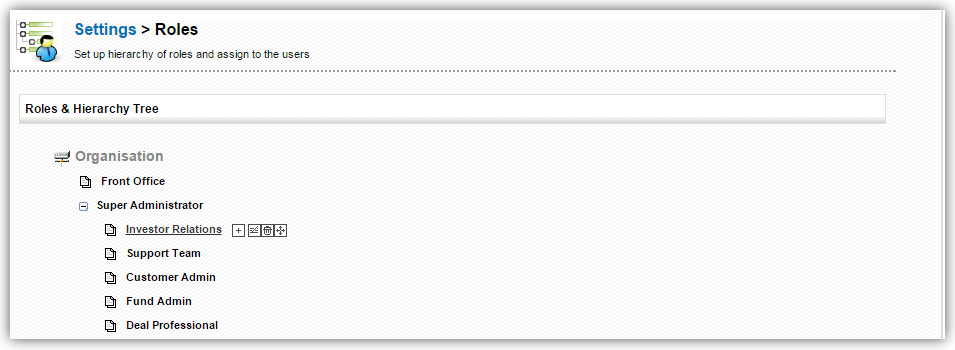
- You will see Roles and Hierarchy Tree.
- Hover the mouse on an Organization or Role and click on
 (add role
icon).
(add role
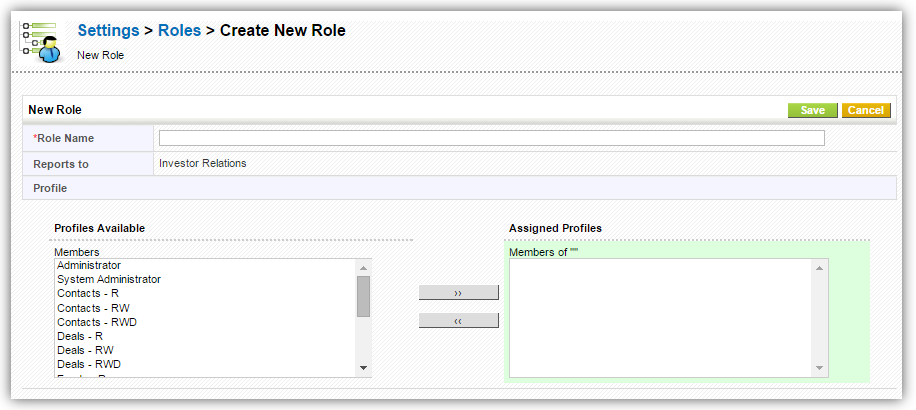
icon). - You will see Create New Role screen.
- Enter the Role Name (mandatory field).
- Reports To will be auto populated depending on the Role you selected by hovering the mouse in the role hierarchy.
- Assign Profiles using left-right arrow buttons.
- Click Save.
Assigning Roles to users
This feature enables you to associate roles to users to fit them in your role hierarchy. When you create a new user, Sales Manager profile will be designated by default.
Follow few simple steps to assign a role to user
- Click gear icon
 in the upper
right.
in the upper
right. - Click CRM Settings.
- Under Users and Access Management click on Users.
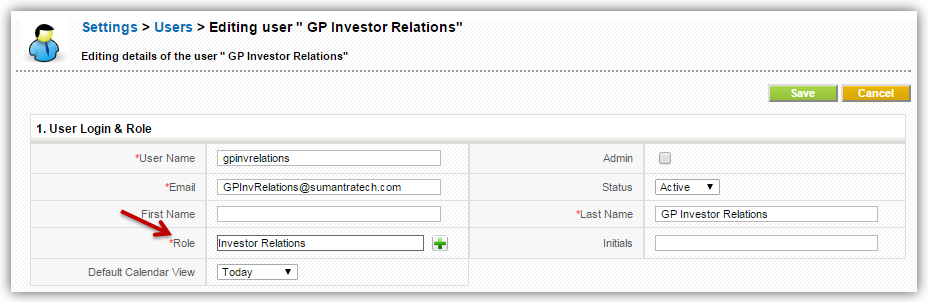
- Role is a mandatory field while adding a new user.
- You can also modify role by going to modify user details.
Notes!
- You can associate multiple users and profiles for the same role.
- When you associate multiple users for same role, the users under the role will not be able to see each others' records.
- A role always work with respect to Profiles and Sharing Access.