Quickly Create Documents
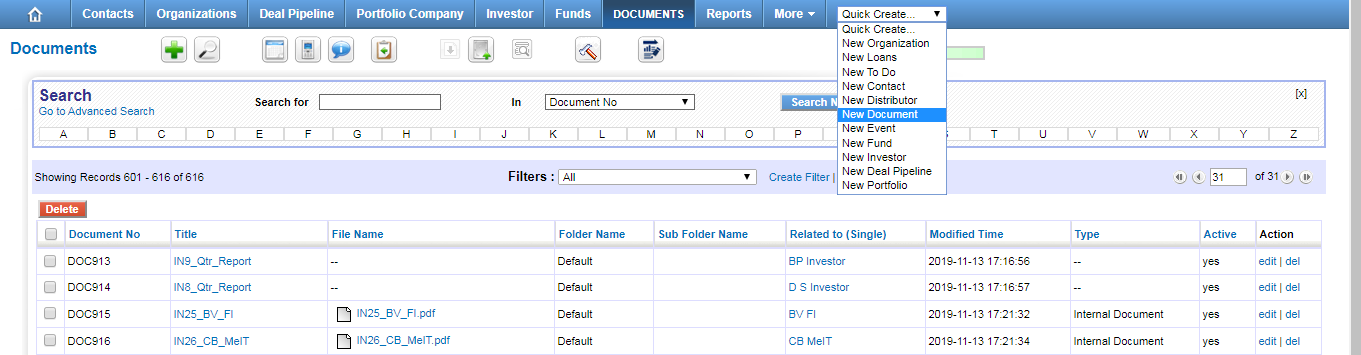
You can enter basic details of the Document through Quick create. This might be helpful if you are running out of time.
Steps to create Document through Quick create
- Click Quick Create drop-down at the top right.
- Choose New Document.
- In the Create Document view, fill in the Document's details.
- Click Save.