Create Documents
Create Documents
This feature enables you to create documents and share them with other users in your PE Front Office account.
To create a new document,
-
Click on Add Document Icon
 located in the top left corner of the screen.
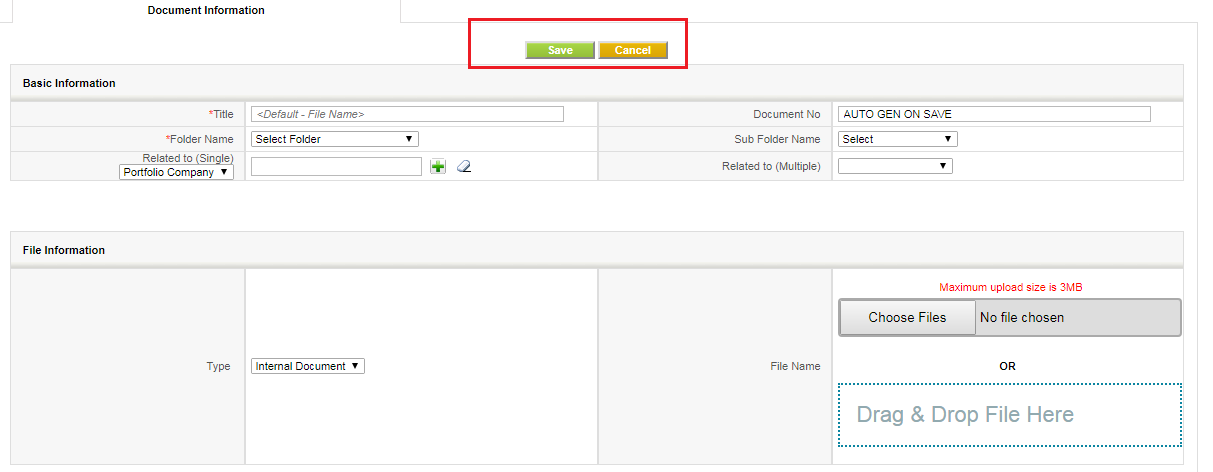
- On Create New Document window, provide the document details (folder name, title, related to, etc).
- Select Download Type as Internal if you wish to attach a downloadable document from your system.
- Select Download Type as External to provide an URL of your external file location from where the file can be downloaded.
- Browse or Drag-Drop the file/files from your drive.
- Click Save.
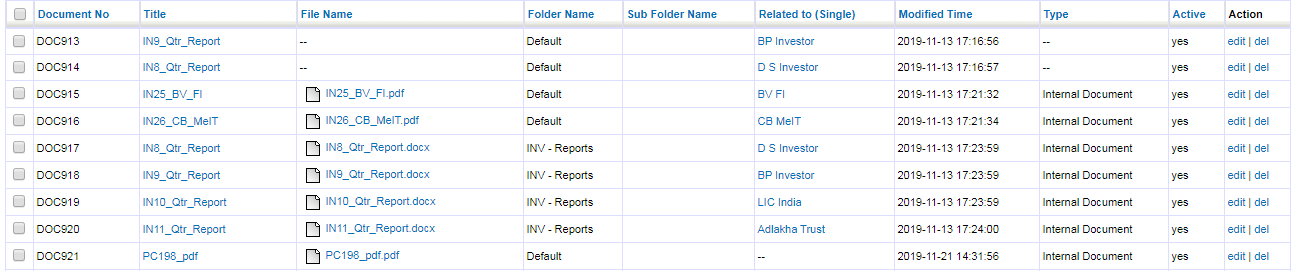
- Document added in the list view.
Note!
PE Front Office supports two types of documents.
- Internal: Upload a file from the drive and download or send email as attachment when required.
- External: Provide an URL of external file location from where the file can be downloaded.