Creating Folders
Documents module gives you the flexibility to save documents in selected folder.
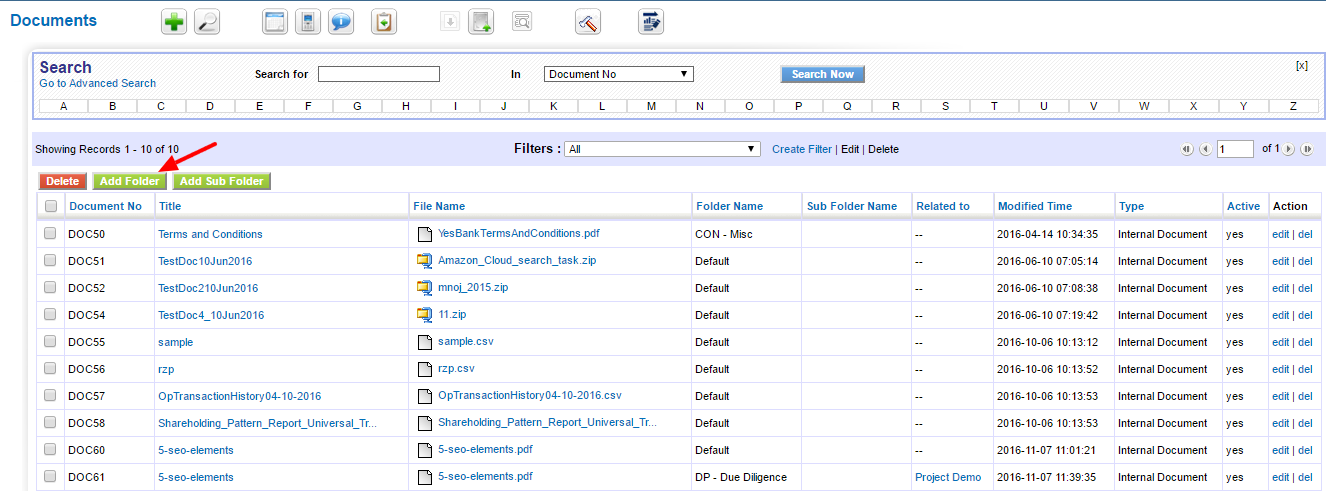
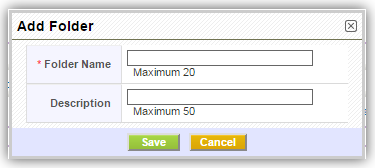
To create a custom folder
- Click on Add Folder button.
- Enter Folder Name (Mandatory) and Description.
- Click Save.
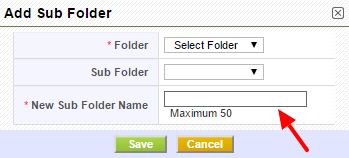
To create a custom sub folder :-
- Click on Add Sub Folder button.
- Select Folder (Mandatory) from drop-down for which sub folder needs to be created.
- Enter New Sub Folder Name (Mandatory).
- Click Save.
Note! Folders will be displayed to all users in your PE Front Office. If you do not want files to be displayed to other users, enable permissions(Eg: Private) from Sharing Access.