Detailed View - Investor Information Tab
This tab contains basic information about the Investor. Fields in this tab along with their description are given below.
Investor Information
| Investor Name | Provide name of the Investor. This field is mandatory. |
| Investor Code | Shows auto-generated code of the Investor. |
| Investor Id | Provide Id of the Investor. This could be an identifier of the Investor that is already in use in your company. |
| Investor Country | Select the country where Investor is based. |
| Investor Type | Select Type of the Investor. For example - HNI, Corporate, Financial Institution etc. |
| Company | Select the Investor's Organization. |
| Assigned To | Select User or Group to which you want to assign the Investor. |
| Description | Provide brief description of the Investor. |
| Created Time | Shows created time of the Investor. |
| Modified Time | Shows last modified time of the Investor. |
Primary Contact Details
| Name | |
| Designation | |
| Phone |
Investment Summary
| Funds Invested (Num) | Calculated Field. Shows the number of Funds in which Investor has invested i.e. committed. |
| Funds Raising (Num) | Calculated Field. Shows the number of Funds in which the investor is interested i.e. potential. |
| Portfolio Co-Investments (Num) | Calculated Field. Shows the number of Portfolio Co-Investments. |
Investment Relationship Management
| Primary | Select the name of Primary relationship manager for the investor. |
| Secondary | Select the name of Secondary relationship manager for the investor. |
Address Information
| Mailing Address | Provide mailing address of the Investor. |
| Other Address | Provide alternate address of the Investor. |
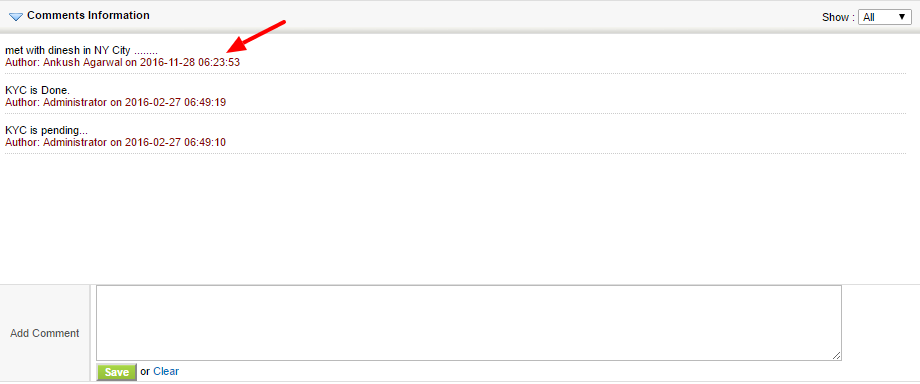
Comments Information: You can add comments to the Investor.